cat weakening-windows-server-2012.md
Weakening Windows Server 2012
Sometimes, when I'm just screwing around with some software, Windows security just gets in my way.
Here are the things I wanted gone this time, and where to find them:
Strong password enforcement and password aging:
Administrative tools => Local Security Policy (secpol.msc) => Account Policies => Password Policy
Ctrl+alt+del to login:
Administrative tools => Local Security Policy (secpol.msc) => Local Policies => Security Options => Interactive Login: Do not require CTRL+ALT+DEL
Disable the Shutdown Event Tracker:
Server Manager => Tools => Group Policy Editor (gpedit.msc) => Computer Configuration => Administrative Templates => System => Display Shutdown Event Tracker
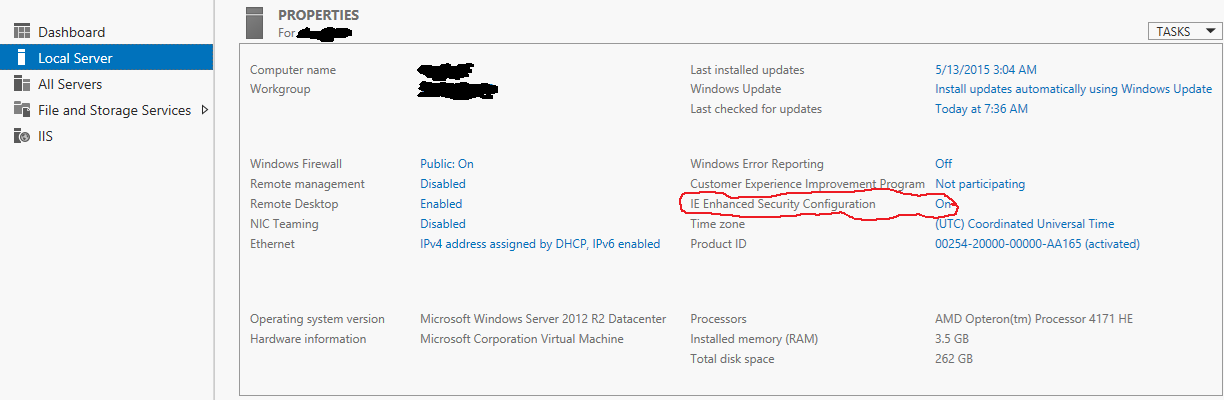
Disable Internet Explorer Enhanced Security Configuration:
Server Manager => Local Server => IE Enhanced Security Configuration (it's an option in the content view)
Allow shadowing or full interaction with remote desktop sessions without the user's consent
Server Manager => Tools => Group Policy Editor (gpedit.msc) => Computer Configuration => Administrative Templates => Windows Components => Remote Desktop Services => Remote Desktop Session Host => Connections => Set rules for remote control of Remote Desktop Services user sessions
Force a given wallpaper on everyone (mwahahah!):
Server Manager => Tools => Group Policy Editor (gpedit.msc) => User Configuration => Administrative Templates => Desktop => Desktop => Desktop Wallpaper
Screw around with everyone's color settings (double mwahahah!):
Server Manager => Tools => Group Policy Editor (gpedit.msc) => Computer Configuration => Administrative Templates => Control Panel => Personalization => *
Finish by running gpupdate /force in a command prompt to update the settings.
To be continued...
Comments