cat forcing-cygwin-to-create-sane-permissions-on-windows.md
Forcing Cygwin to create sane permissions on Windows
If you use Cygwin to mainly manipulate files in your regular Windows filesystem, under /cygdrive/..., you have probably seen this message more than a few times:
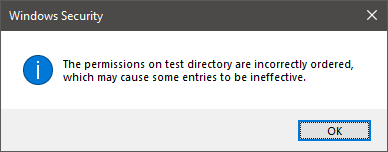
"The permissions on <node> are incorrectly ordered, which may cause some entries to be ineffective"
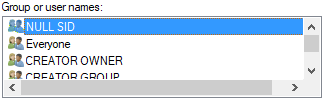
You have also likely seen "NULL SID" as the top entry in permission lists.
The Cygwin website has a page about filemodes, which explains why this happens.
In short, you have to edit /etc/fstab in Cygwin, and add noacl to the mount options for /cygdrive. Here is my /etc/fstab, for reference:
# /etc/fstab
#
#    This file is read once by the first process in a Cygwin process tree.
#    To pick up changes, restart all Cygwin processes.  For a description
#    see https://cygwin.com/cygwin-ug-net/using.html#mount-table

# This is default anyway:
#none /cygdrive cygdrive binary,posix=0,user 0 0
none /cygdrive cygdrive binary,noacl,posix=0,user 0 0After editing this option, you have to stop every single Cygwin process for it to take effect. The easy way out is to reboot your system.
Comments