cat taking-a-screenshot-of-an-entire-page-with-firefox-saved-as-a-png.md
Taking a screenshot of an entire page with Firefox, saved as a .png
I was recently asked for a way to do this, and since I figured more people might like to know, here's how:
Go to Tools => Web Developer => Developer Toolbar (check it), or simply press Shift+F2, then at the command line that appears in the bottom of the browser window, type screenshot --fullpage followed by an optional filename ending in .png.
A screenshot of the entire page will end up in your default downloads directory.
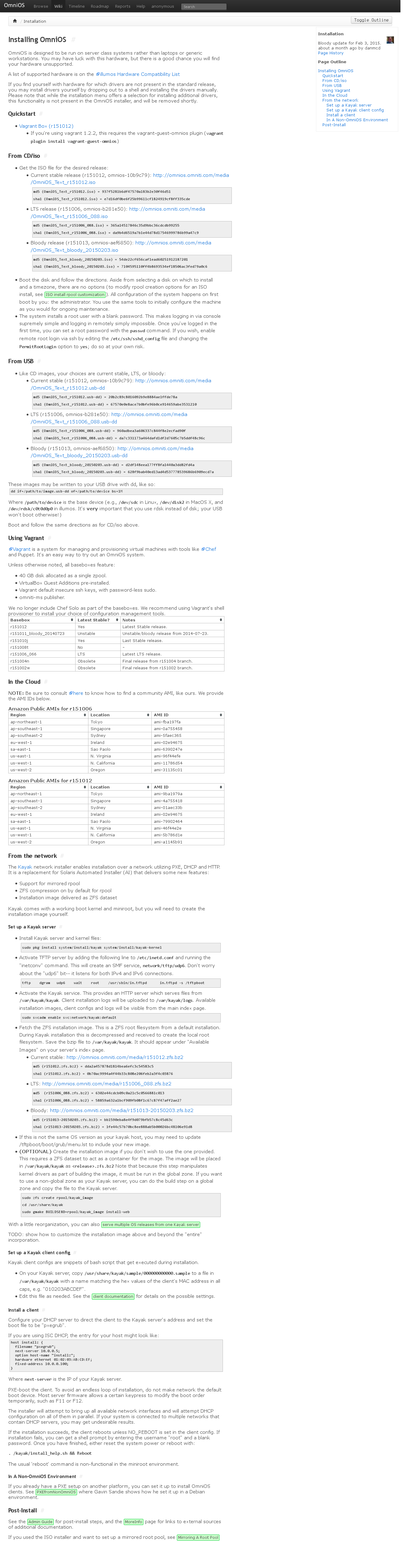
Here's an example shot of the OmniOS installation guide:
Comments