cat import-email-from-existing-pop3-account-to-gmail-in-2017.md
Import email from existing POP3 account to Gmail in 2017
No introduction here. Let's get to it.
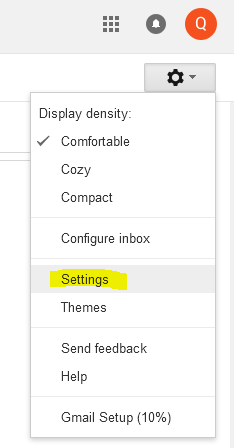
Go to settings
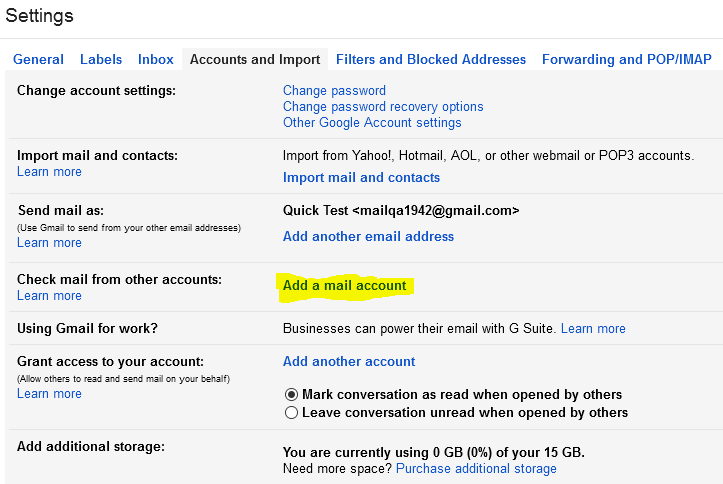
Add an external account
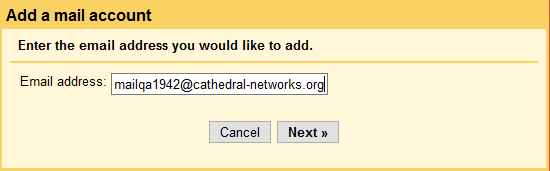
Enter your existing external email address, e.g. "you@otherdomain.com"
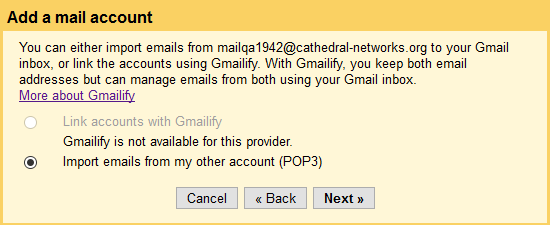
Select POP3
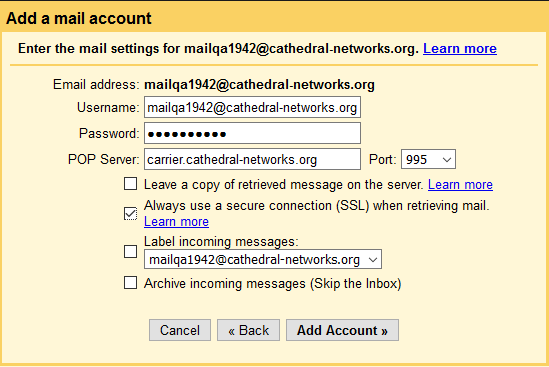
Enter your existing credentials
The settings shown are for the Cathedral mail server - yours may be different.
Contact your provider if you're not sure.
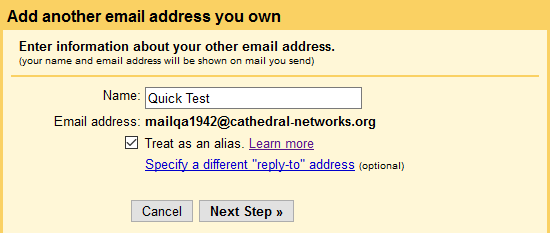
Choose to treat it as an alias
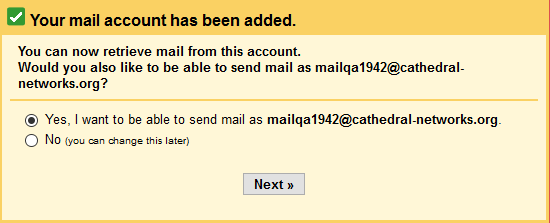
Want to send mail?
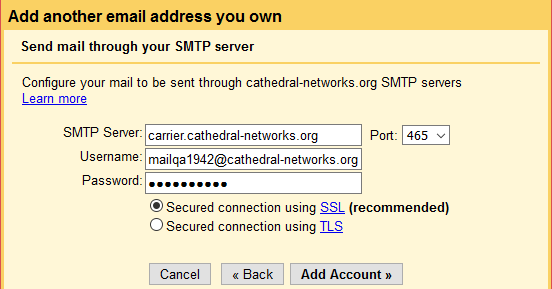
If so, enter your SMTP credentials
At this point, Gmail will send a verification code to your GMail address.
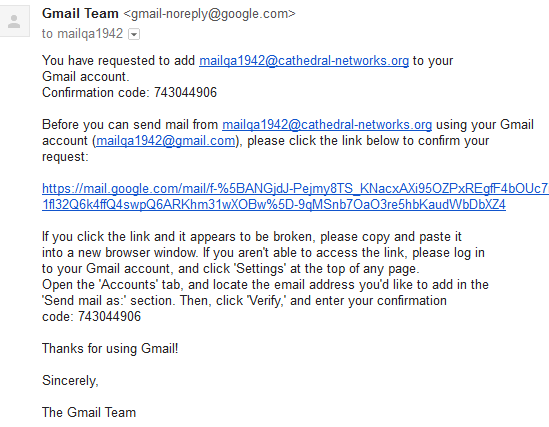
After either entering the code into the verification field, or clicking the link in the email they sent you, you're good to go!
Comments